
Quick answer
How do I set up IPTV Smarters Pro?
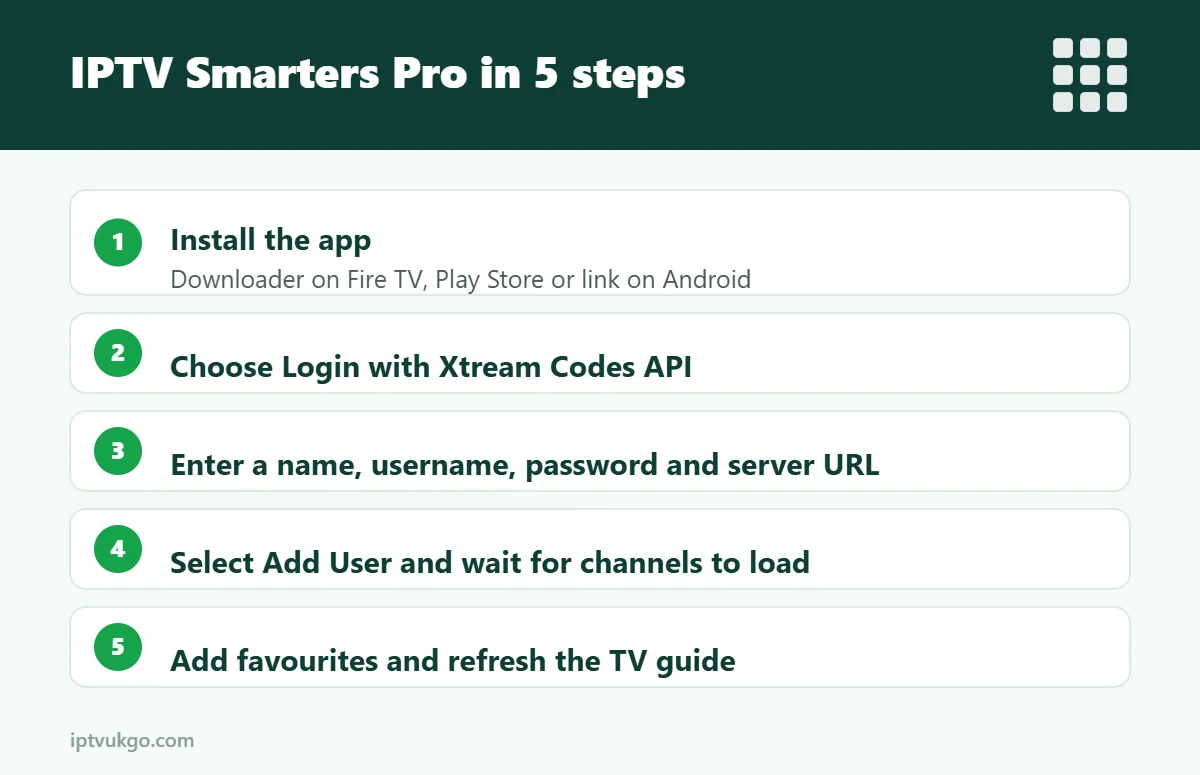
Install IPTV Smarters Pro on your Firestick or Android device, open it, choose Login with Xtream Codes API, then enter a name for the profile plus the username, password and server URL from your provider. Tap Add User, wait for channels and the TV guide to load, and you are ready to watch.
IPTV Smarters Pro is one of the most popular IPTV player apps in the UK because it is simple and clearly laid out. This guide shows you how to install it on a Fire TV Stick or Android device, sign in, load the TV guide and set it up for comfortable everyday viewing.
Before you start
You will need:
- A Fire TV Stick, Fire TV Cube, Android TV box, Google TV device, or Android phone or tablet
- Your login details from your IPTV provider – usually a username, password and server URL (Xtream Codes), or an M3U link
- About ten minutes
Not sure which login type you have? Our guide to M3U vs Xtream Codes explains the difference.
Step 1: Install IPTV Smarters Pro
On a Fire TV Stick or Fire TV Cube
- Install the free Downloader app from the Amazon Appstore.
- Go to Settings > My Fire TV > Developer options and allow Downloader to install unknown apps.
- Open Downloader and enter the download code or link provided by your service.
- Install the app, then choose Delete to remove the installer file and free up space.
Every step is explained in more detail in our Firestick setup guide.
On Android phones, tablets and Android TV
Search for the app in the Google Play Store if it is available for your device. If not, your provider can send a safe download link. On Android TV, follow our Android TV setup guide.
Step 2: Sign in with Xtream Codes (recommended)
- Open IPTV Smarters Pro and accept the terms.
- Choose Login with Xtream Codes API.
- Any name – type something to label this profile, such as “Living room”.
- Username and Password – enter them exactly as sent, paying attention to capital letters.
- URL – enter the server address including http:// or https:// and the port number if one was given, for example *http://example-server.com:8080*.
- Select Add User. The app downloads your channels, films, series and TV guide. This can take a minute the first time.
Step 2 (alternative): Sign in with an M3U link
If your provider sent an M3U link instead, choose Load Your Playlist or File/URL, select M3U URL, give it a name and paste the full link. The TV guide may need a separate EPG link, which your provider can supply.
Step 3: Find your way around
After signing in you will see the main dashboard:
- Live TV – channels grouped into categories, with a guide showing what is on now and next.
- Movies – on-demand films you can start, pause and resume.
- Series – box sets and episodes, organised by season.
- Catch Up – go back to programmes from earlier, on channels that support it. Learn more in how catch-up works.
Step 4: Set it up for everyday use
- Favourites – long-press or hold the select button on a channel and add it to Favourites so your most-watched channels are always at the top.
- TV guide – if the guide is empty, refresh it from the app’s settings or sign out and back in. See EPG not loading for more fixes.
- Player – in Settings you can switch between the built-in players. If a channel stutters or the sound drifts, trying a different player often helps.
- Parental controls – set a PIN under Settings and lock categories you do not want children to see. Our parental controls guide explains how.
- Time format and stream format – if channels will not play, changing the stream format setting (for example from HLS to MPEGTS) can solve it.
Common problems and fixes
“Invalid username or password”
Check for spaces before or after your details and make sure capital letters match. Some keyboards add a space automatically after a word.
Channels load but will not play
Check the URL includes the correct port. Try changing the stream format in Settings, or restart the device and try again.
The app is slow or freezes
Clear the app cache (Settings > Applications > Manage installed applications > IPTV Smarters Pro > Clear cache on Fire TV), restart the device and close other apps. More ideas: IPTV not working on Firestick.
Frequently asked questions
Is IPTV Smarters Pro free?
The app itself is free to use. You need a subscription from a provider to get channels.
Can I use IPTV Smarters on more than one device?
Yes. Install it on each device and sign in with the same details. The number of devices that can stream at the same time depends on your plan.
Is IPTV Smarters better than TiviMate?
Smarters is easier for beginners; TiviMate has a faster, more TV-like guide. Compare them in our guide to the best IPTV player apps for Firestick.