
Quick answer
What is IPTV?
IPTV (Internet Protocol Television) is TV delivered over your broadband instead of a satellite dish, aerial or cable. You watch through an app on a Smart TV, Fire TV Stick, phone, tablet or computer, with a TV guide that works just like a normal set-top box.
If you have ever watched BBC iPlayer or Netflix, you already understand the basics of IPTV. The difference is that IPTV services usually include live TV channels with a full programme guide, not just on-demand films and series. This guide explains how it works, what you need, and how to tell whether it is right for your home – in plain English, with no jargon.
IPTV explained in one minute
Traditional TV in the UK arrives through an aerial (Freeview), a satellite dish (Sky or Freesat) or a cable in the ground (Virgin Media). IPTV skips all of that. The same kind of TV picture is sent to your home over the internet connection you already pay for.
On your side, everything happens inside an app. You open it, sign in, and see a list of channels and a TV guide. Pick a channel and it starts playing within a second or two. Most services also include catch-up, so you can go back to something you missed, plus a library of films and box sets.
If you want the technical detail – servers, streams and how the app talks to them – read how IPTV works behind the scenes. You do not need to know any of that to use it, though.
How IPTV compares with satellite, cable and Freeview
| IPTV | Satellite / cable | Freeview | |
|---|---|---|---|
| Installation | Download an app and sign in | Engineer visit, dish or cable | Aerial on the roof |
| Devices | TV, stick, phone, tablet, computer | Usually one box per room | TVs with a tuner |
| Contract | Flexible monthly or longer plans | Often 18–24 months | No contract |
| Watch away from home | Yes, with a good connection | Limited | No |
| Depends on | Broadband quality | Weather, signal and wiring | Aerial signal |
The big advantages are flexibility and convenience: no dish, no engineer, no long contract, and the same service on every screen in the house. The main thing IPTV depends on is a steady broadband connection. For a deeper look, see IPTV vs traditional TV.
What you need to watch IPTV in the UK
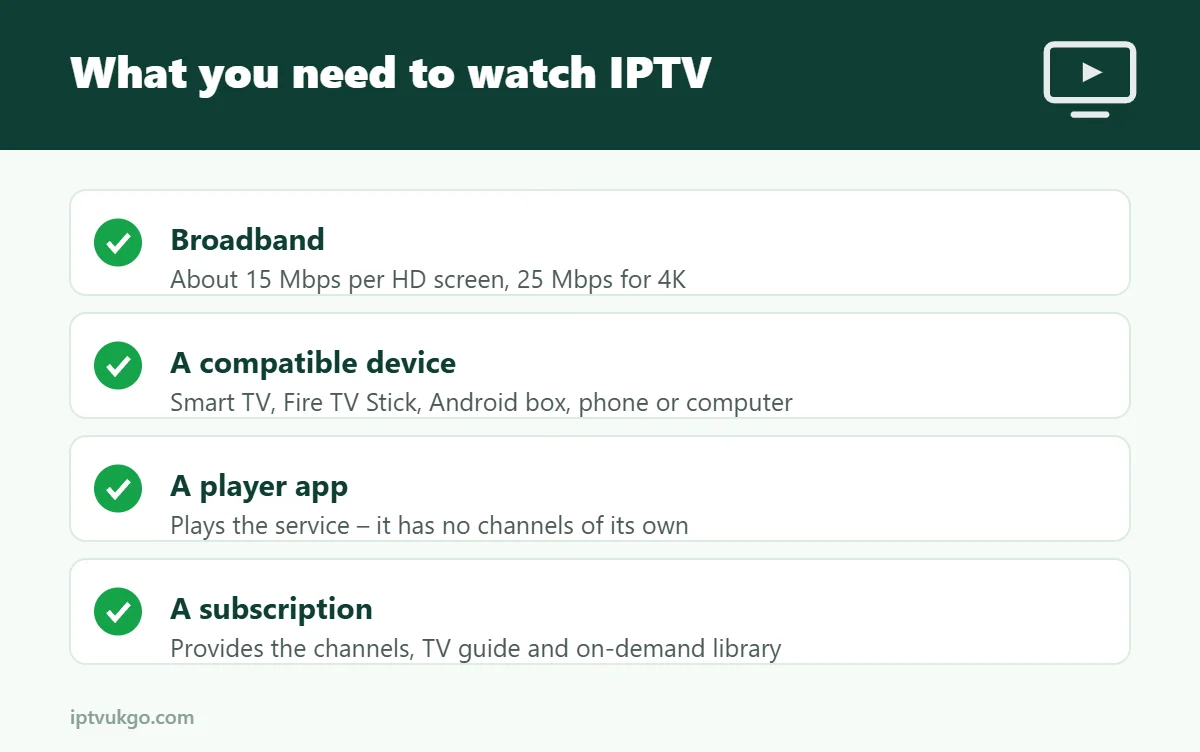
You need four things, and most homes already have three of them:
- Broadband – around 15 Mbps per screen for HD and 25 Mbps or more for 4K. Most UK fibre and cable packages are fast enough. Our internet speed guide explains how to check yours properly.
- A compatible device – a Smart TV, Amazon Fire TV Stick, Android TV box, Apple TV, phone, tablet or computer.
- A player app – the app that plays the service and shows the TV guide. It does not include any channels on its own; it simply plays the subscription you sign in with. Read what an IPTV player is to learn more.
- A subscription – this is what provides the channels, guide and on-demand library.
Which devices work best?
Almost any modern screen can run IPTV, but some are easier than others:
- Amazon Fire TV Stick – the most popular choice in UK homes. Cheap, plugs into any HDMI port and is simple to set up. See the Firestick setup guide.
- Smart TVs – Samsung (Tizen) and LG (webOS) have their own app stores, while Sony, Hisense, TCL and others run Google TV with the Play Store. See the Smart TV guide.
- Android TV and Google TV boxes – more storage and power than a stick, good for 4K. See the Android TV guide.
- Phones and tablets – ideal for the kitchen, garden or travelling. Guides for Android, iPhone and iPad.
- Computers – watch on a Windows PC or Mac through an app or web player.
If your TV is more than six or seven years old, a streaming stick is usually the quickest upgrade. It also gives you a faster, more up-to-date app than many older TVs can manage.
Live TV, catch-up and on-demand
Most IPTV services offer three ways to watch:
- Live TV – channels playing as they are broadcast, just like normal TV.
- Catch-up – go back and watch programmes from the past few days, where available.
- On-demand – films, series and box sets you can start whenever you like, pause and resume later.
The TV guide (EPG)
The electronic programme guide, or EPG, is the on-screen schedule showing what is on now and next. A good guide is the difference between enjoying IPTV and scrolling through hundreds of channel names. Look for accurate UK listings and easy search and favourites. Our article on what an EPG is explains how it works and what to do if it ever shows the wrong times.
Is IPTV legal in the UK?
IPTV is simply a way of delivering television over the internet, and the technology itself is completely legal – many mainstream UK TV services use it. What matters is whether the content is properly licensed. Be wary of offers that look too good to be true, such as every premium channel for a few pounds a year, and choose a provider that is open about who they are and how to contact them. Read more in is IPTV legal in the UK?
You also need a TV Licence to watch or record any programme as it is being broadcast live, on any channel or service, and to use BBC iPlayer. That rule is the same whether you watch through a dish, an aerial or an app. See do you need a TV Licence for IPTV?
Pros and cons of IPTV
Advantages
- No dish, aerial, cables or engineer visit
- Watch on every TV, phone and tablet in the house
- Flexible plans instead of long contracts
- Catch-up and on-demand built in
- Easy to take with you when you move house
Things to consider
- Picture quality depends on your broadband, especially in busy evenings
- Wi-Fi in a far room can be weak – an Ethernet cable often helps
- You need to choose a reliable provider with good support
How to get started, step by step
- Check your broadband speed on the device you will watch on, ideally in the evening.
- Choose your device – for most people, the TV you already have or a Fire TV Stick.
- Take a free trial so you can test the service on your own connection before paying anything.
- Follow the setup guide for your device. Most people are watching within ten minutes.
- If everything works well, pick a plan. Longer plans cost less per month.
Our 24-hour free trial needs no payment details, and the setup guides walk you through every device. You can compare plans on the pricing page.
Frequently asked questions
Do I need a TV Licence for IPTV in the UK?
Yes, if you watch or record programmes as they are broadcast live, on any channel or service, or use BBC iPlayer. The rules are the same whatever device you use.
Is IPTV the same as Netflix?
Not quite. Netflix is on-demand only. IPTV services usually include live TV channels with a programme guide, as well as on-demand films and series.
Do I need a satellite dish or aerial?
No. Everything arrives over your broadband, so you do not need a dish, aerial or cable connection.
Can I watch on more than one TV?
Yes. You can install the app on as many of your devices as you like. The number of screens that can stream at the same time depends on your plan.
Why does my picture buffer in the evening?
Evenings between about 7pm and 10pm are the busiest time on UK broadband. A wired connection, 5 GHz Wi-Fi and pausing big downloads usually fix it. See how to reduce buffering.
Can I use IPTV on holiday?
Usually yes, on a phone, tablet or laptop with a good internet connection. Speeds on hotel and holiday Wi-Fi vary a lot, so HD may work better than 4K.
Sources and further reading