
Quick answer
Can you watch IPTV in a caravan or holiday home?
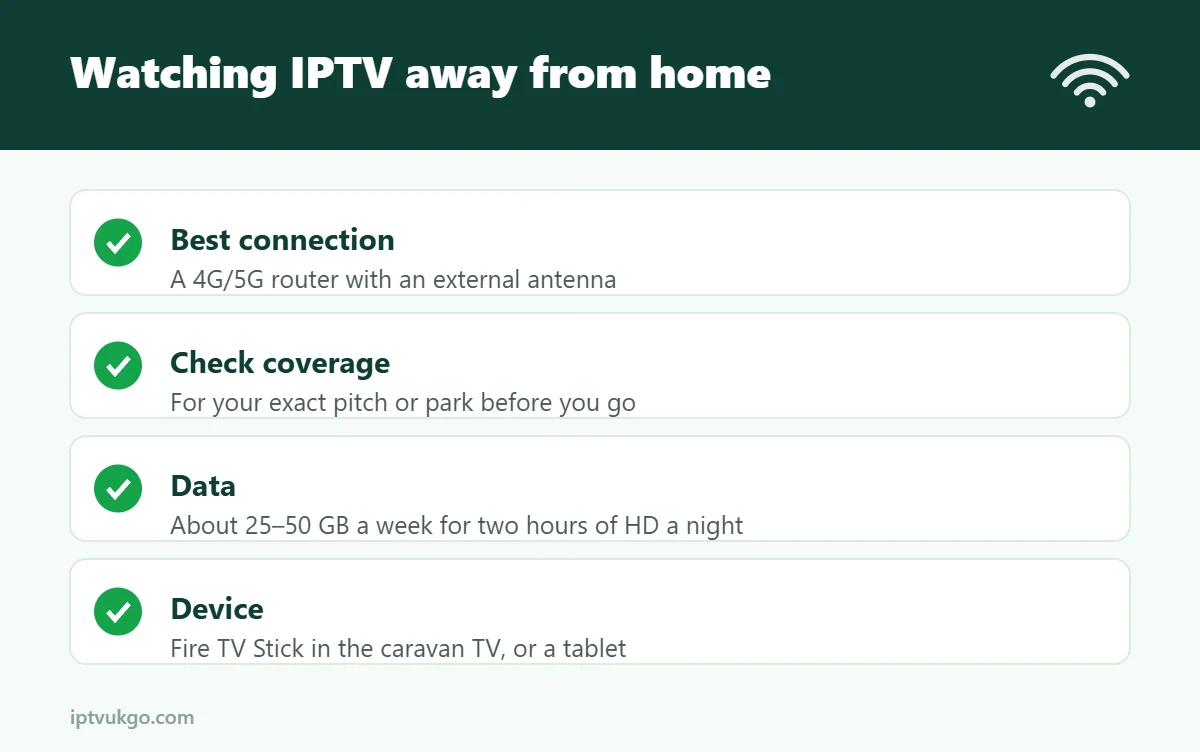
Yes. You need an internet connection – usually a 4G or 5G router, site Wi-Fi or the holiday home’s broadband – and a device such as a Fire TV Stick, tablet or phone. A 4G/5G router with an outdoor or window-mounted antenna gives the most reliable results. Watch your data allowance: HD uses roughly 2–3.5 GB per hour.
Taking your TV with you on holiday is easier than ever. Whether you have a static caravan, a touring caravan, a motorhome or a holiday let, IPTV can give you the same channels and guide as at home. The trick is getting a good internet connection. This guide explains the options and how to make them work.
Your connection options
| Option | Pros | Cons |
|---|---|---|
| Site or park Wi-Fi | Often included or cheap | Can be slow and busy in the evening |
| 4G/5G router with a SIM | Works almost anywhere with signal | Data costs; signal varies |
| Phone hotspot | No extra equipment | Drains battery, uses phone data |
| Fixed broadband (static or holiday home) | Most reliable | Needs a line and contract |
| Satellite broadband | Works in remote places | Equipment cost; delay can affect live TV |
Getting the best from 4G and 5G
- Check coverage for your exact location on the mobile networks’ coverage maps before you choose a SIM.
- Use a dedicated router rather than a phone hotspot for longer stays.
- Add an external antenna – mounting it on a window or roof can transform a weak signal.
- Choose an unlimited or large data plan if you watch every evening. See how much data does IPTV use?
- Test at peak times – mobile networks near busy holiday parks can slow down in the evening.
Which device to use
- Fire TV Stick or Google TV device – plug into the caravan TV’s HDMI port for the full experience. Our Firestick setup guide works the same anywhere.
- Tablet or phone – ideal for touring and small spaces. See IPTV on Android and IPTV on iPhone.
- 12V TVs – many caravan TVs run on 12V and have HDMI ports, so a streaming stick works fine if it has a power source.
Save data without losing the picture
- Watch in HD rather than 4K on a small caravan TV.
- Close the app when you stop watching.
- Download or record less while on a capped plan.
Using your subscription away from home
Your subscription normally works wherever you have an internet connection in the UK. Remember that each device streaming at the same time uses a connection on your plan – see how many screens can you watch at once?
The TV Licence
TV Licence rules can apply to caravans, motorhomes and holiday homes, depending on how and where you watch. Check the official TV Licensing guidance for your situation before you go. See also do you need a TV Licence for IPTV?
Frequently asked questions
Is campsite Wi-Fi good enough for IPTV?
Sometimes, but it is often shared by many guests and slows down in the evening. A 4G/5G router is more reliable.
How much data will I need for a week away?
Watching two hours of HD each evening uses roughly 25–50 GB a week.
Can I use IPTV abroad?
It depends on your service and the country. Check with your provider before you travel, and be aware of mobile roaming charges.
Related guides
- UK broadband for streaming
- Streaming on your phone: data, casting and battery tips
- Try IPTV UK GO free for 24 hours
Sources and further reading