
Quick answer
How can you spot an IPTV scam?
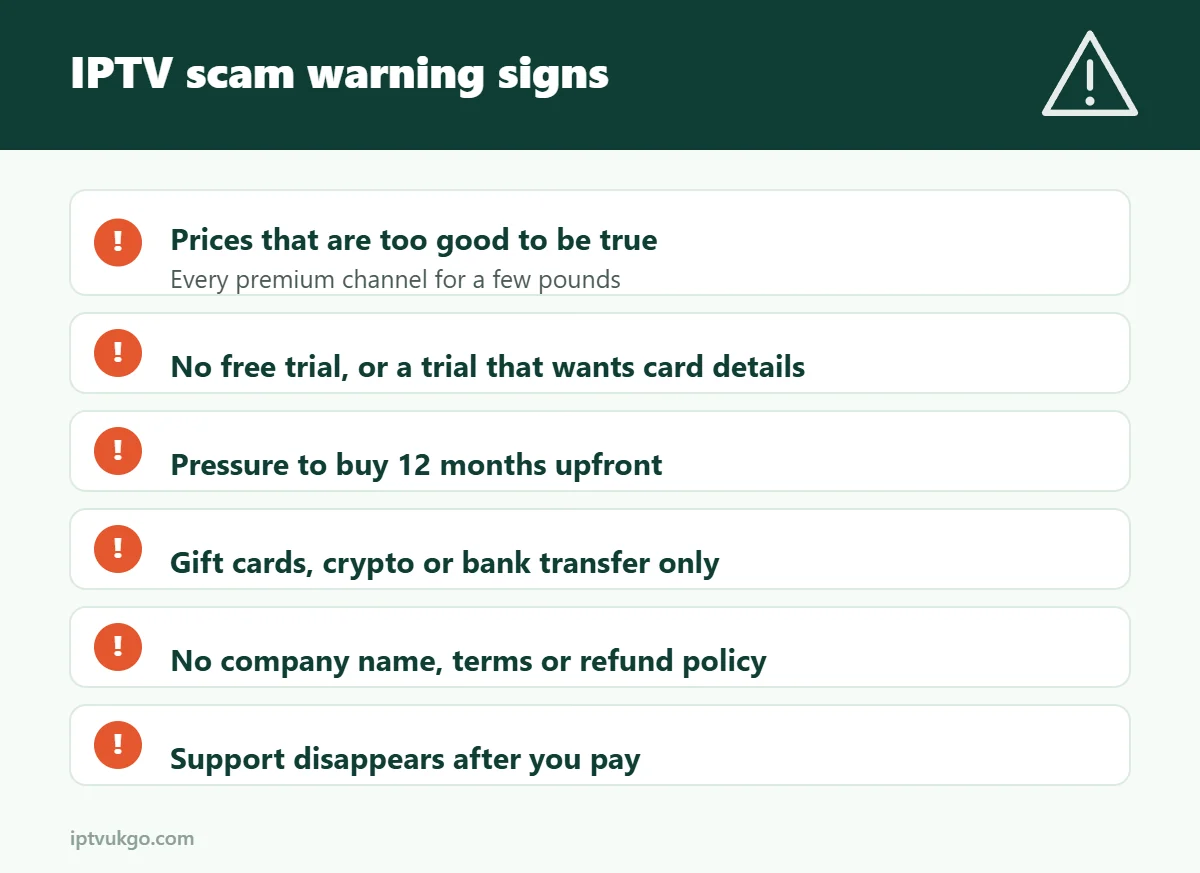
Watch for prices that are too good to be true, no free trial, pressure to pay for 12 months upfront, payment only by gift card, crypto or bank transfer, no company details or terms, and support that disappears once you have paid. A genuine service is happy to answer questions and let you test before you buy.
Most people who lose money on IPTV are not careless – they simply did not know what to look for. Scam services often have slick websites, glowing “reviews” and huge channel lists. This guide covers the warning signs that show up again and again, and the simple checks that protect you before you pay.
1. The price is too good to be true
Running a reliable streaming service costs money: servers, bandwidth, support staff and, for a legitimate business, licences. If a website offers every premium channel in the world, plus every new film, for a few pounds a year, ask yourself how that is possible. Often it is not – the service either vanishes or was never licensed in the first place.
2. No free trial, or a trial that needs card details
A confident provider lets you test the service on your own TV and broadband before you pay. Be wary if there is no trial at all, or if a “free” trial asks for card details and then quietly turns into a paid subscription. Our free trial checklist shows what to test.
3. Pressure to buy a year upfront
“Today only” countdown timers, huge discounts that expire in minutes, or sellers who push you towards a 12- or 24-month plan before you have tried the service are classic pressure tactics. A good provider is happy for you to start with one month.
4. Unusual payment methods
This is one of the clearest warning signs. Be very careful if a seller only accepts:
- Gift cards or vouchers
- Cryptocurrency
- A bank transfer to a personal account
- “Friends and family” payments that remove buyer protection
These methods are popular with scammers because the money is almost impossible to get back. Read our guide to safe ways to pay for a streaming subscription.
5. No company details
Scroll to the bottom of the website. Is there a business name, a contact email, terms and conditions, a privacy policy and a refund policy? If the only contact is an anonymous messaging account, there is no one to hold responsible if things go wrong.
6. “Fully loaded” sticks and boxes
Fire TV Sticks and Android boxes are legal devices, but sellers offering them “fully loaded” with every channel and film are almost always supplying unlicensed content. These devices can also contain malware, and they often stop working without warning.
7. Fake or copied reviews
Look closely at reviews. Dozens of five-star reviews posted on the same day, vague wording (“best service ever!!”), and identical reviews on other websites are red flags. Genuine reviews mention specific details – which device someone used, how setup went, how quickly support replied.
8. Support that only exists before you pay
Send a question before you buy and see how they respond. Then ask yourself: would they answer this quickly once they already have my money? A service that is slow or evasive before payment is unlikely to improve afterwards.
9. Asking for unnecessary personal information
An IPTV service needs very little from you: a name, an email or phone number to send login details, and a way to pay. Be suspicious of requests for your date of birth, ID documents, full bank details or remote access to your device.
10. Brand-new website, constantly changing name
Some scam services rebrand every few months to escape bad reviews. A website registered a few weeks ago, with no social media history and a name that changes between pages, is worth avoiding.
Quick checklist before you pay
- Have you tested a free trial on your own TV in the evening?
- Can you find a business name, contact details and terms?
- Are you paying with a method that offers buyer protection?
- Is the price realistic, and are you starting with a short plan?
- Did support answer your question clearly and quickly?
If you can answer yes to all five, you are far less likely to be caught out.
What to do if you think you have been scammed
- Contact your bank or card provider straight away. Card payments may be protected by chargeback, and credit card purchases over £100 by Section 75 of the Consumer Credit Act.
- If you paid by PayPal, open a dispute in the Resolution Centre as soon as possible.
- Change any passwords you shared or reused.
- Report it to Action Fraud, the UK’s national reporting centre for fraud and cyber crime.
- Remove unofficial apps from your devices and, if in doubt, reset the device to factory settings.
Frequently asked questions
Are all cheap IPTV services scams?
Not every low-cost service is a scam, but extremely low prices for “everything” are a strong warning sign. Compare what is included, test a free trial and check the company details.
Is it safe to pay for IPTV by bank transfer?
It is risky, especially to a personal account, because the money is very hard to recover. Use a card or a recognised payment service with buyer protection.
How do I know if an IPTV service is legal?
Look for a real business, realistic prices, proper terms and normal payment methods. Our guide on whether IPTV is legal in the UK explains the difference between the technology and the service.
Related guides
- Best IPTV UK: what to compare before choosing a provider
- Safe ways to pay for a streaming subscription
Sources and further reading