
Quick answer
How should you use an IPTV free trial?
Plan your test before it starts. Install the app on your main TV, watch during a busy evening, try live sport, check the TV guide and catch-up, use it on every device you own, and send support a question. If all ten checks below pass, the service is likely to work well for you.
A free trial is the best protection you have before paying for an IPTV subscription. But a day goes quickly, and many people spend it flicking between channels at lunchtime – which tells you very little. Here are the ten checks that matter, the order to do them in, and what a good result looks like.
Before your trial starts
A little preparation means you spend the trial testing, not setting up:
- Pick the right device. Test on the TV or stick you will actually use every day, not just your phone.
- Install the player app first. Follow the setup guide for your device so you are ready the moment your login arrives.
- Check your broadband. Run a speed test on the TV device itself. Our internet speed guide shows what you need for HD and 4K.
- Time it well. Start the trial on a day that includes an evening at home – ideally one with a live match or event you want to watch.
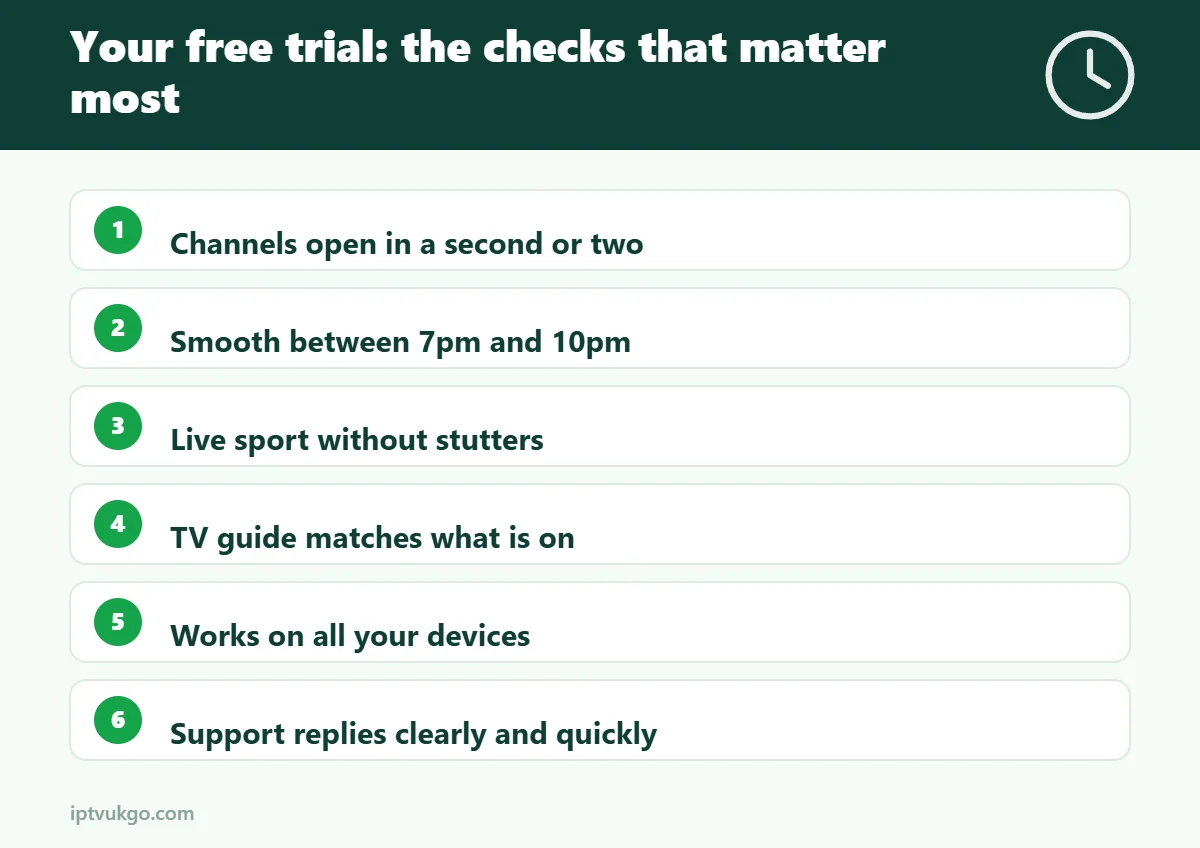
The 10 checks to make during your trial
1. How fast do channels open?
Switch between ten or so channels you watch regularly. A good service opens each one within a second or two. Long pauses or frequent “loading” messages usually point to overloaded servers.
2. Does it hold up at peak time?
Watch for at least an hour between 7pm and 10pm, when UK broadband is busiest. This is the single most important test. A service that is smooth at lunchtime but buffers every evening will frustrate you all year.
3. Is live sport smooth?
Fast-moving sport shows problems that slower programmes hide. Look for stutters, drops in picture quality and whether the stream keeps up during the busiest moments of a match.
4. Is the TV guide accurate?
Open the guide on a few channels and check that what it says is on matches what is actually playing. Look at the next few days as well. An accurate EPG makes hundreds of channels easy to browse.
5. Do catch-up and on-demand work?
If catch-up is included, go back to something from earlier in the day. Start a film or episode, skip forward, pause and resume. It should pick up quickly without starting again from the beginning.
6. Does it work on all your devices?
Try it on the living room TV, a bedroom TV, your phone and a tablet. Check how many screens can stream at the same time on the plan you are considering, and test two at once if your household needs it.
7. Is the app easy to use?
You will use the app every day, so it should feel simple. Can you add favourites, search for a channel and get back to the guide quickly? If the app feels clunky, ask support whether another player is recommended for your device.
8. How good are the picture and sound?
Look at HD channels on a large screen, and try 4K if you have a 4K TV and a fast connection. Listen for sound that drifts out of sync with the picture – it is especially noticeable on live sport and news.
9. How quickly does support reply?
Send a simple question by WhatsApp or email, such as which app is best for your TV. A clear, friendly answer within a reasonable time is a very good sign. If nobody replies during the trial, do not expect better once you have paid.
10. Are the plans and terms clear?
Before you pay, check the price of each plan, how long it lasts, how renewal works and what happens if something goes wrong. Avoid any service that asks for card details for a free trial or is vague about refunds and contact details.
After the trial: making your decision
If the service passed the peak-time, live sport and support checks, it is likely to work well in your home. Many people start with a one-month plan and move to a longer plan once they are happy, because longer plans cost less per month. Our comparison of 1, 3, 6 and 12 month plans explains the trade-offs, and you can see current prices on the pricing page.
If something did not work well, tell support what happened before you decide. Many problems – such as buffering on Wi-Fi or a slow app – have simple fixes, like switching to a wired connection or a different player.
Try IPTV UK GO free for 24 hours
Our 24-hour free trial needs no payment details. Tell us which device you use and we will send your login details and a setup guide by WhatsApp or email. If you decide not to continue, there is nothing to cancel.
Frequently asked questions
How long is the free trial?
24 hours. That is enough to run all ten checks if you include one evening session.
Do I need to enter card details?
No. A genuine free trial should never ask for payment details.
Can I test on more than one device?
Yes. Install the app on each device you plan to use and sign in with your trial details.
What if it buffers during the trial?
Try an Ethernet cable or 5 GHz Wi-Fi first, and test again. If it still buffers, contact support – the cause is often the home connection rather than the service. Our guide on how to reduce buffering covers the common fixes.
What happens when the trial ends?
It simply stops. There is nothing to cancel. If you want to continue, choose a plan and we will set it up for you.