

Quick answer
How much internet speed do I need for IPTV?
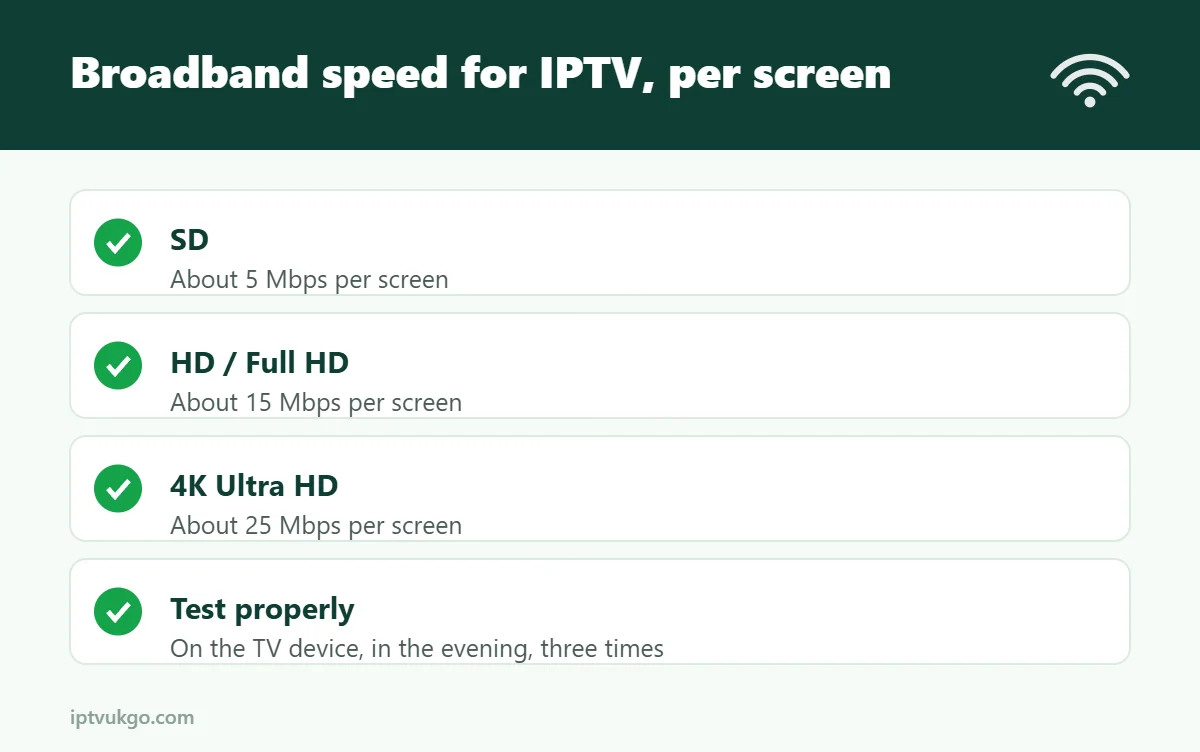
Around 5 Mbps for SD, 15 Mbps for HD and 25 Mbps or more for 4K – per screen. Just as important, the connection needs to be stable in the evening and strong in the room where your TV is.
Your broadband package might promise 70, 150 or even 500 Mbps, but the number that matters is the speed your TV actually gets at 8pm on a weeknight. This guide explains how much speed IPTV really needs, why headline figures can be misleading, and how to test and improve your connection in a typical UK home.
Recommended speeds for SD, HD and 4K
| Picture quality | Per screen | Two screens at once | Three screens at once |
|---|---|---|---|
| SD | 5 Mbps | 10 Mbps | 15 Mbps |
| HD / Full HD | 15 Mbps | 30 Mbps | 45 Mbps |
| 4K Ultra HD | 25 Mbps | 50 Mbps | 75 Mbps |
These are comfortable working figures rather than bare minimums. Live sport at 50 frames per second uses more data than a slow-moving drama, so leaving some headroom keeps the picture smooth when the action speeds up.
Why your headline speed is not the whole story
Broadband is sold on its top download speed, but live TV cares about three other things too:
- Stability – a connection that holds 30 Mbps all evening is better for IPTV than one that jumps between 100 Mbps and 10 Mbps.
- Latency and jitter – live streams arrive as a continuous flow of small packets. If they arrive late or out of order, the picture stutters even on a fast line.
- Upload speed – your device constantly talks back to the server. On older lines with very low upload speeds, these small messages can queue up and cause short freezes.
Wi-Fi: the most common bottleneck
A router might deliver 300 Mbps in the hallway and a fraction of that behind two brick walls in the living room. Wi-Fi is also shared with every phone, tablet and laptop in the house.
- 5 GHz Wi-Fi is much faster than 2.4 GHz but does not travel through walls as well.
- An Ethernet cable from the router to your TV or streaming box is the most reliable option. Our Ethernet vs Wi-Fi guide explains when it is worth it.
- Powerline adapters or a mesh system help when the router is in another room and a cable is not practical.
Busy households and peak times
Everyone in the house shares the same connection. A games console downloading a large update, someone streaming YouTube upstairs and a video call in the kitchen can quickly use up a 35 Mbps line.
UK broadband is also busiest between about 7pm and 10pm, when millions of homes stream at once. Some connections slow noticeably during these hours. That is why a speed test at lunchtime can look great while your evening viewing still buffers.
UK broadband types at a glance
- ADSL (copper) – often 10 Mbps or less. Fine for SD, borderline for HD.
- Fibre to the cabinet (FTTC) – typically 30–80 Mbps. Good for HD and usually one 4K stream.
- Full fibre (FTTP) and cable – 100 Mbps and up. Comfortable for several HD or 4K streams at once.
Not sure what is available at your address? Ofcom’s broadband checker shows the speeds you can get.
How to test your speed properly
- Test on the device you watch on. Many TVs and Fire TV Sticks can run a speed test app. Your phone next to the router does not tell you what the TV gets.
- Test in the evening. Run it between 7pm and 10pm, when the network is busiest.
- Test more than once. Run three tests a few minutes apart and look at the lowest result, not the best.
- Check ping as well as speed. A low, steady ping (under about 40 ms) is a good sign for live TV.
If your lowest evening result is comfortably above the figures in the table, you are in good shape. The most realistic test of all is real viewing – our 24-hour free trial lets you try the service on your own connection before you pay.
If your connection is too slow
- Switch to an Ethernet cable or a 5 GHz Wi-Fi network.
- Restart your router once in a while, and move it out of cupboards and away from the TV’s back panel.
- Pause large downloads and game updates while you watch.
- Choose HD instead of 4K during busy evenings.
- Close apps running in the background on your streaming stick.
- If speeds are still low, ask your broadband provider about a faster package or a newer router.
Still seeing the spinning wheel? Follow our step-by-step tips on how to reduce buffering.
Frequently asked questions
Is my UK broadband fast enough for IPTV?
Most fibre (FTTC), full-fibre (FTTP) and cable packages are. Older ADSL lines may only manage SD or HD. Test on your TV in the evening to be sure.
Is 30 Mbps enough for IPTV?
Yes, for one or two HD screens. For 4K or several people watching at once, 50 Mbps or more gives you more breathing room.
Do I need more speed for 4K?
Yes. Plan on about 25 Mbps for each 4K stream, plus whatever else your household is using at the same time.
Does upload speed matter?
A little. You do not need a fast upload, but very low upload speeds on older lines can cause short freezes. Most fibre packages are fine.
Why is my speed fine in the day but slow at night?
Evening is peak time on UK networks. A wired connection helps, and if the problem is severe, your broadband provider may be able to help.
Sources and further reading